Learn how to buy the first and biggest cryptocurrency out there.
In the tutorial below we will explain how to buy bitcoin through Huobi. You will be directed to is hbg.com as they switched to another domain name.
How to buy bitcoin
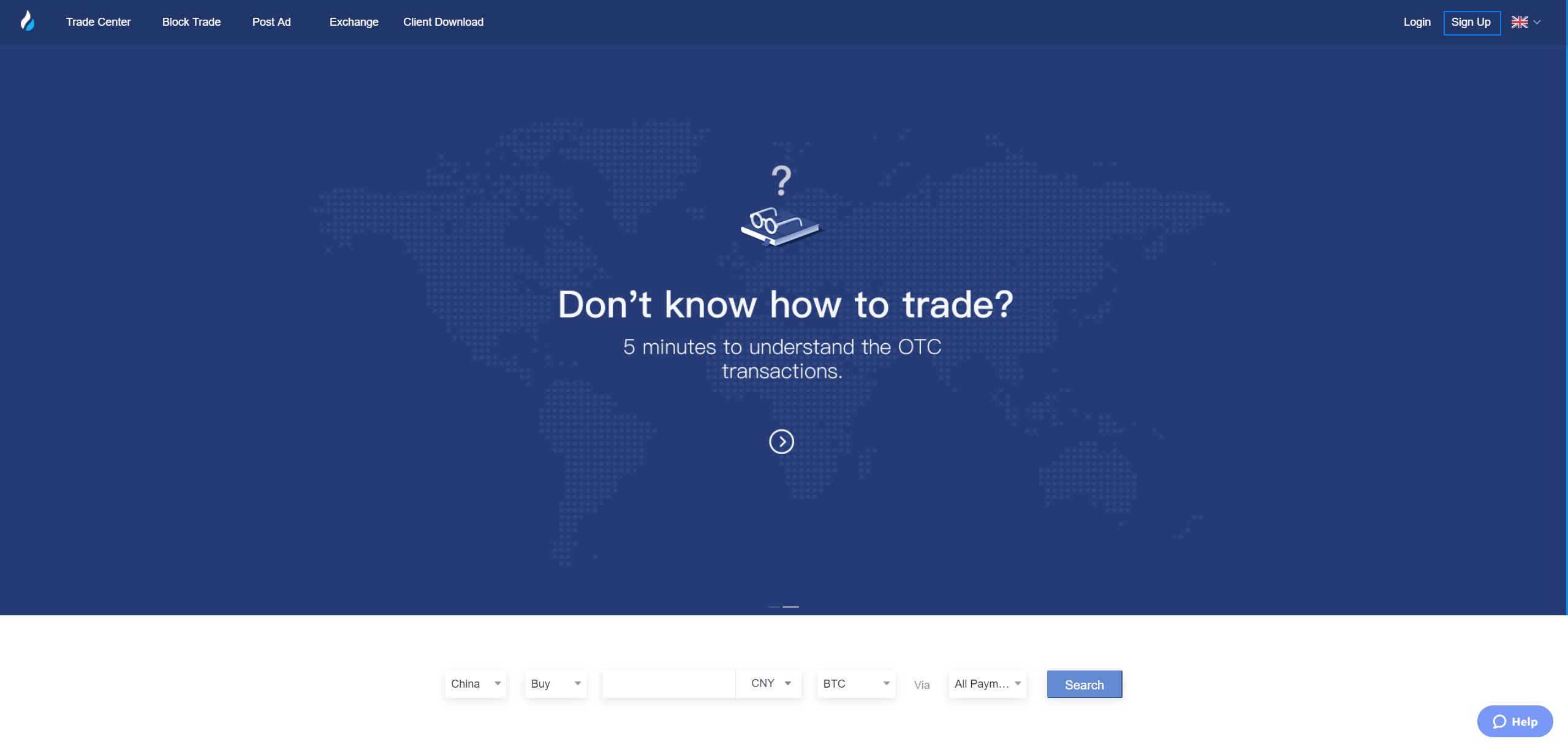
Step 1: Visit Huobi and create an account!
If you already have a user account, click “Login” and skip Step2.
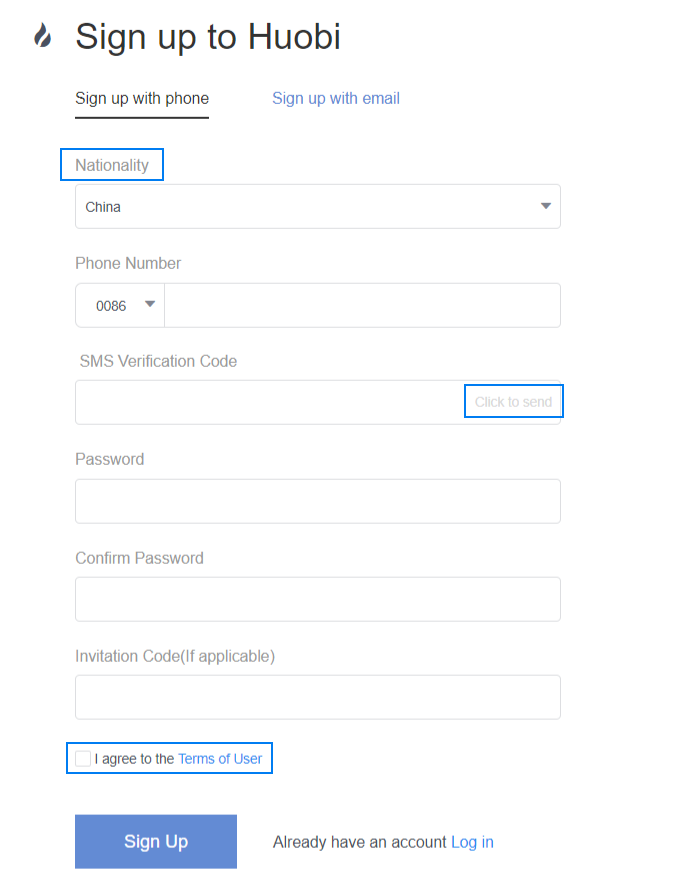
Step 2: On the “Sign Up” page, select “Nationality” and enter “Phone Number” then click “Click to send” to get SMS verification code. According to your needs, you could select “Sign up with email” as well. Fill out the form with SMS verification code, Password, Invitation code(if applicable), tick “I agree to the Terms of User ” then click “Sign Up”.
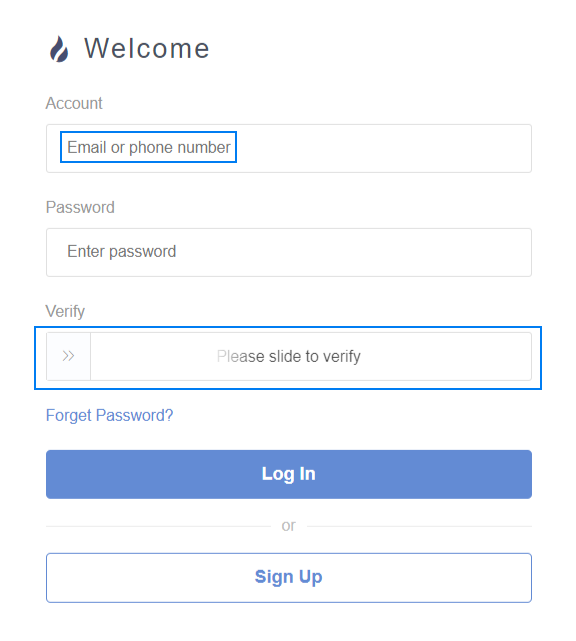
Step 3: click "Log In" in the upper right corner, enter your account (the registered phone number), and password. Drag the slider to the right, then click "Log In".
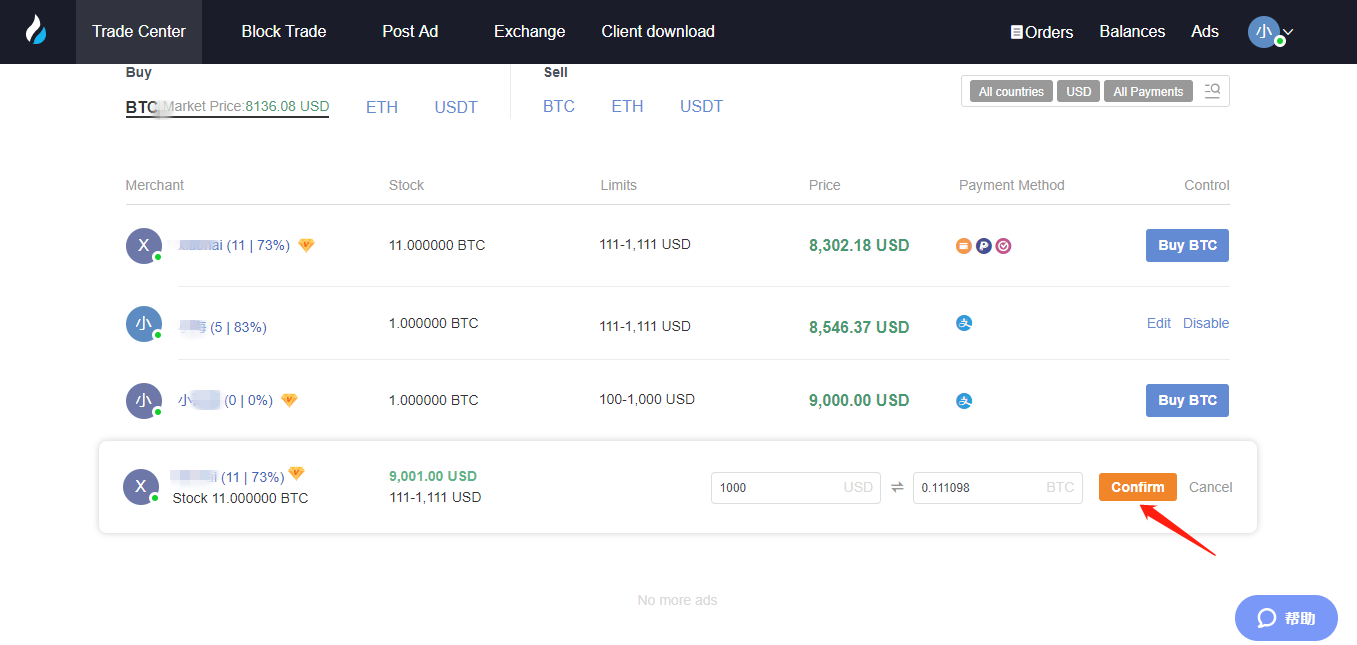
Step 4: Select the digital asset you want to trade (taking "Buy BTC" as an example), choose the price and the payment method as your wish, and click "Buy BTC".
Step 5: Enter the total/amount you wish and click "Confirm".
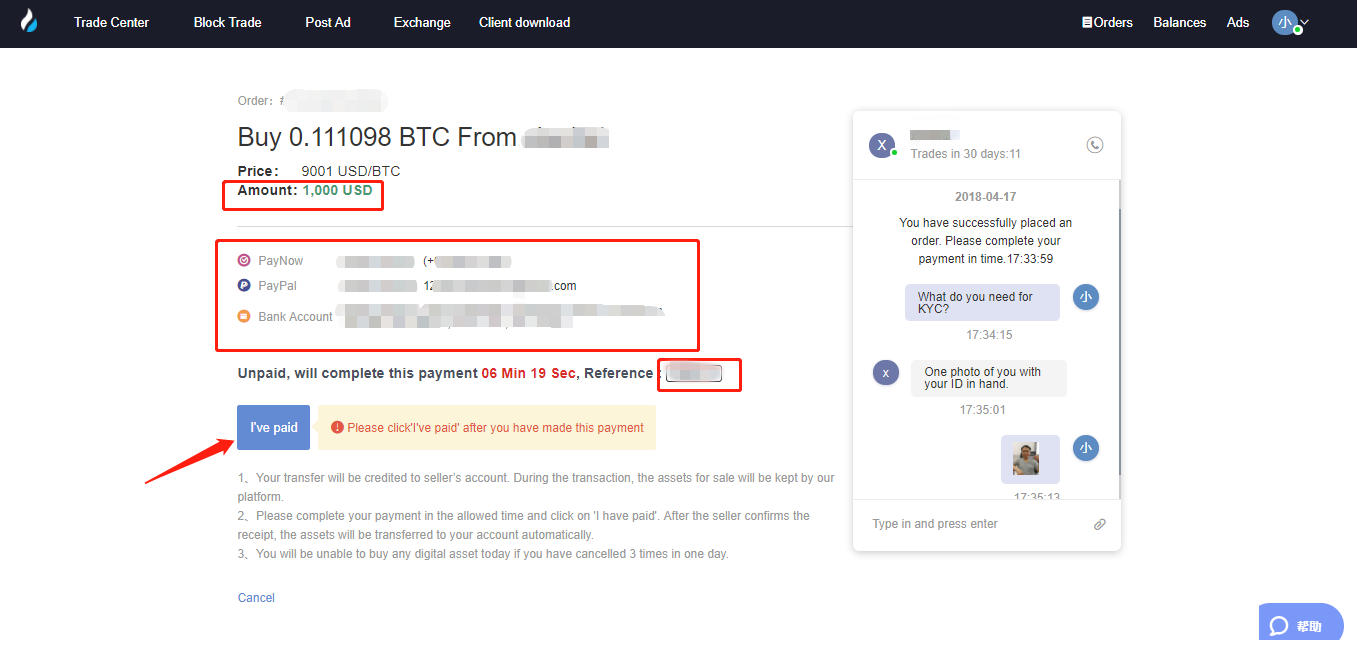
Step 6: On the order page, confirm the amount (total) and payment method of the order.
Transfer your payment to the seller within the limit time. After transfer, please make sure you click on "I've Paid".
(Please note that you need to transfer your payment to the seller directly according to the payment method required by the seller.
If you have already transferred to the seller, DO NOT click "Cancel" unless your account has received the refund from the seller. )
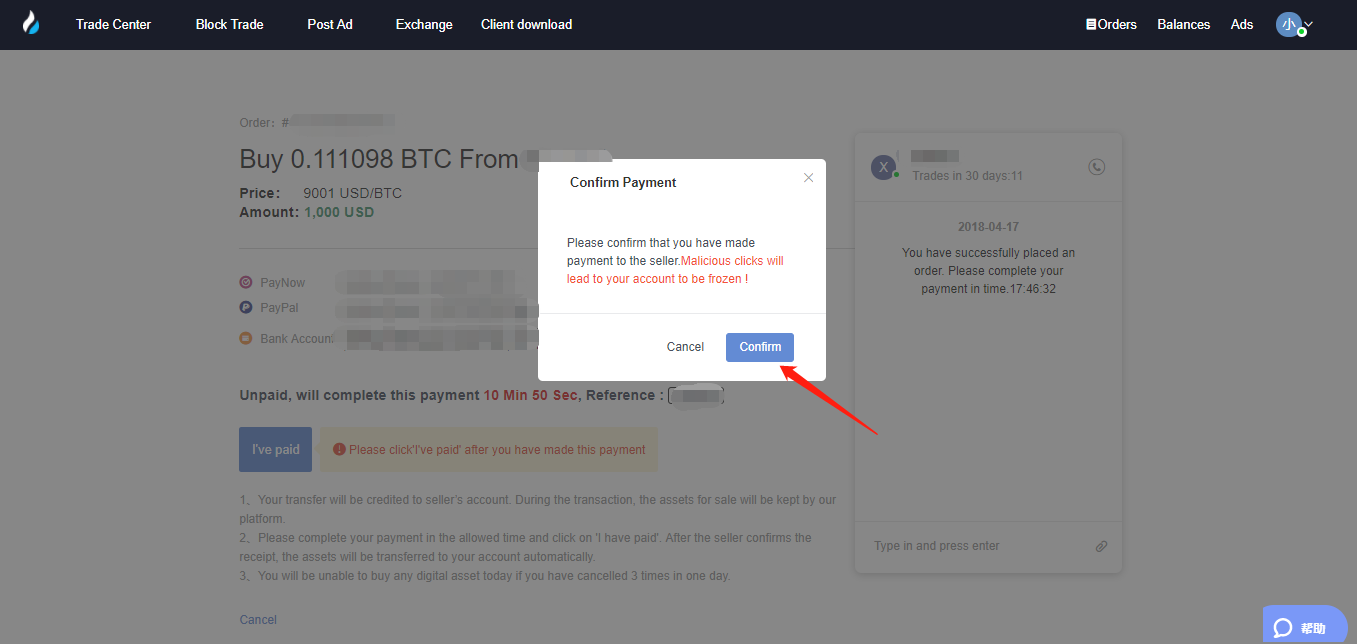
Step 7: In the "Confirm Payment" pop-up window, click "Confirm".
Then, wait for the seller to release the digital assets.
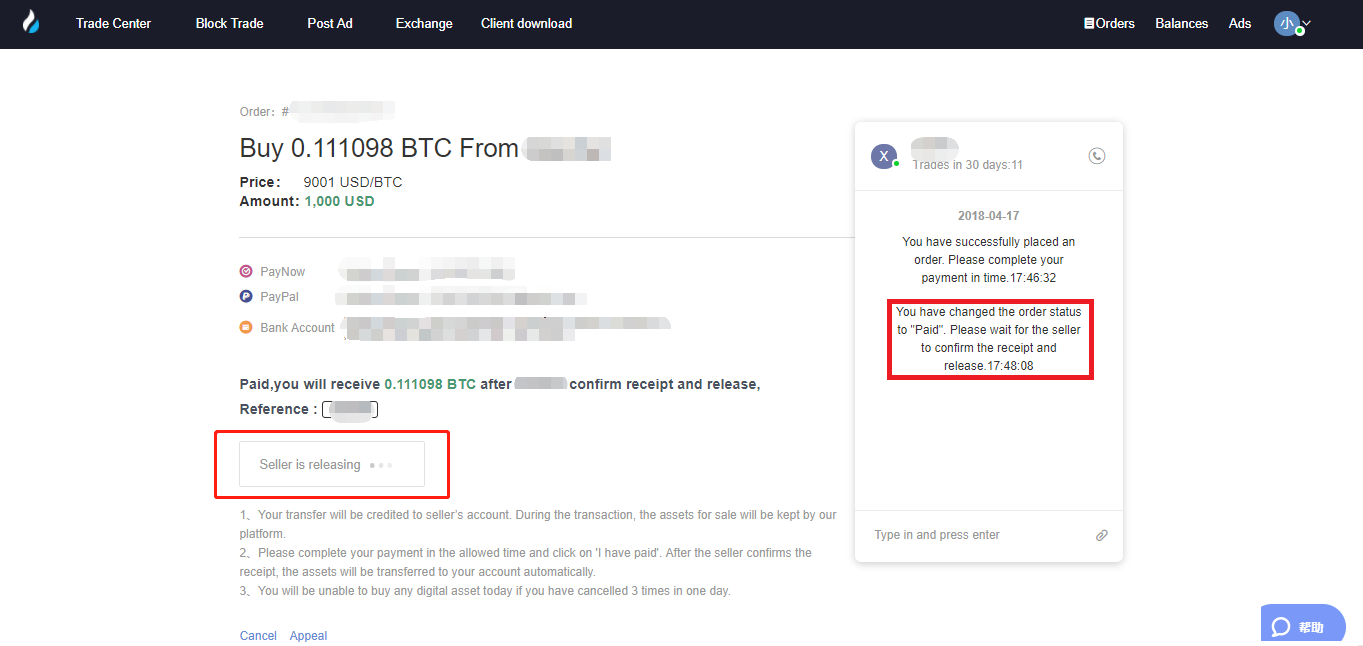
Step 8: After the seller releases the digital asset, the transaction is completed.
You may click "Transfer Now" to transfer your digital assest from your OTC Account to Huobi Pro Exchange Account.
You may check the digital assets that you just bought by clicking "Balances" in the upper right corner.