We know that fast and accurate market data is one crucial aspect of trading, especially for Algorithmic traders and high-frequency traders. That’s why we made our market data accessible for the public through the Bitfinex APIs.
We’ve developed BFX Function for you, to showcase how Bitfinex market data can be used to bring data to your Excel spreadsheet, and be adapted t to your own needs. BFX Function is an add-in that uses custom functions to retrieve specific bits of data you want into Excel spreadsheets. It works by parsing market data from the API into a familiar table structure on Excel.
BFX Function has various formulas to provide you with different information, such as historical prices, ticker data, and candle data. You can find the complete list on the downloadable cheat sheet file.
Here are some of the things you can do with BFX Function:
- Read market data
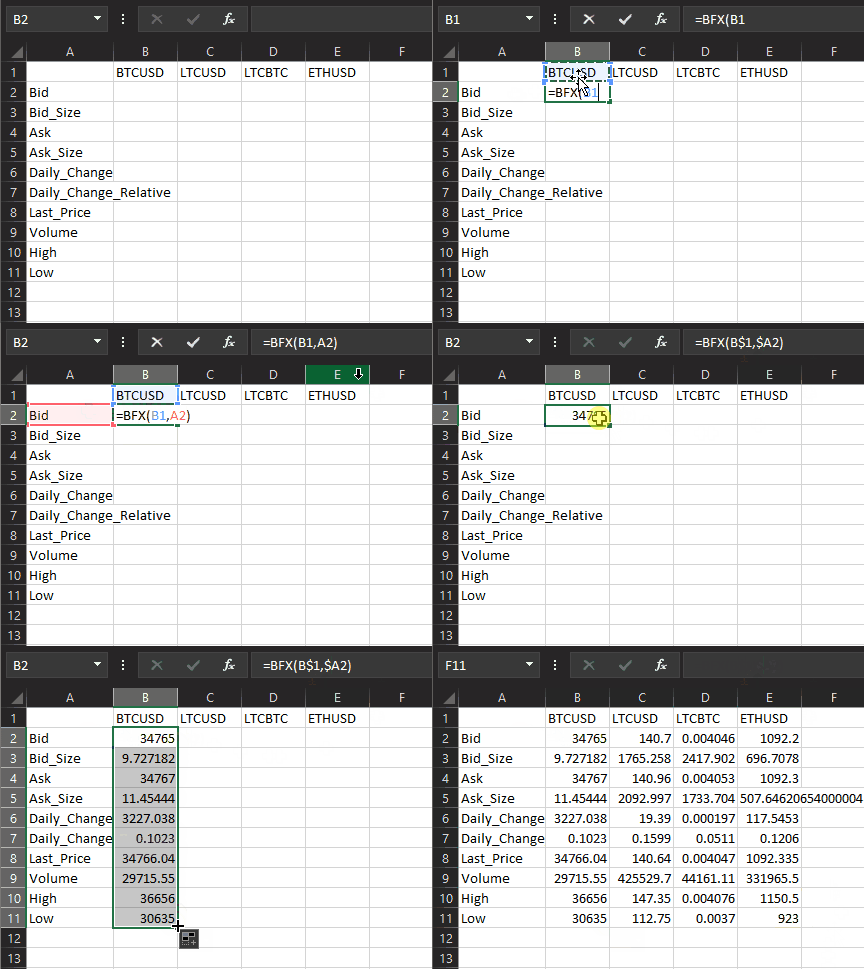
With BFX Function, you can parse data into an easier-to-read format on Excel. The tickers data from the API looks like this:
[["tBTCUSD",34517,13.317734950000002,34531,16.28784829,2549,0.0797,34525,30866.02464789,36656,30635],["tLTCUSD",139.69,1905.2891424600002,139.96,1263.1943379500003,15.26,0.1226,139.69,467362.50572258,147.35,112.75],["tLTCBTC",0.0040508,1407.61814708,0.0040543,1548.2158999900003,0.0001652,0.0424,0.0040651,49702.702695,0.004076,0.0037],["tETHUSD",1085.2,435.67057708,1085.9,532.82962583,95.4,0.0964,1085.4,362308.26429979,1150.5,923]]
The data will look like this with BFX Function:
- Determine the approximate value of your portfolio at a given time
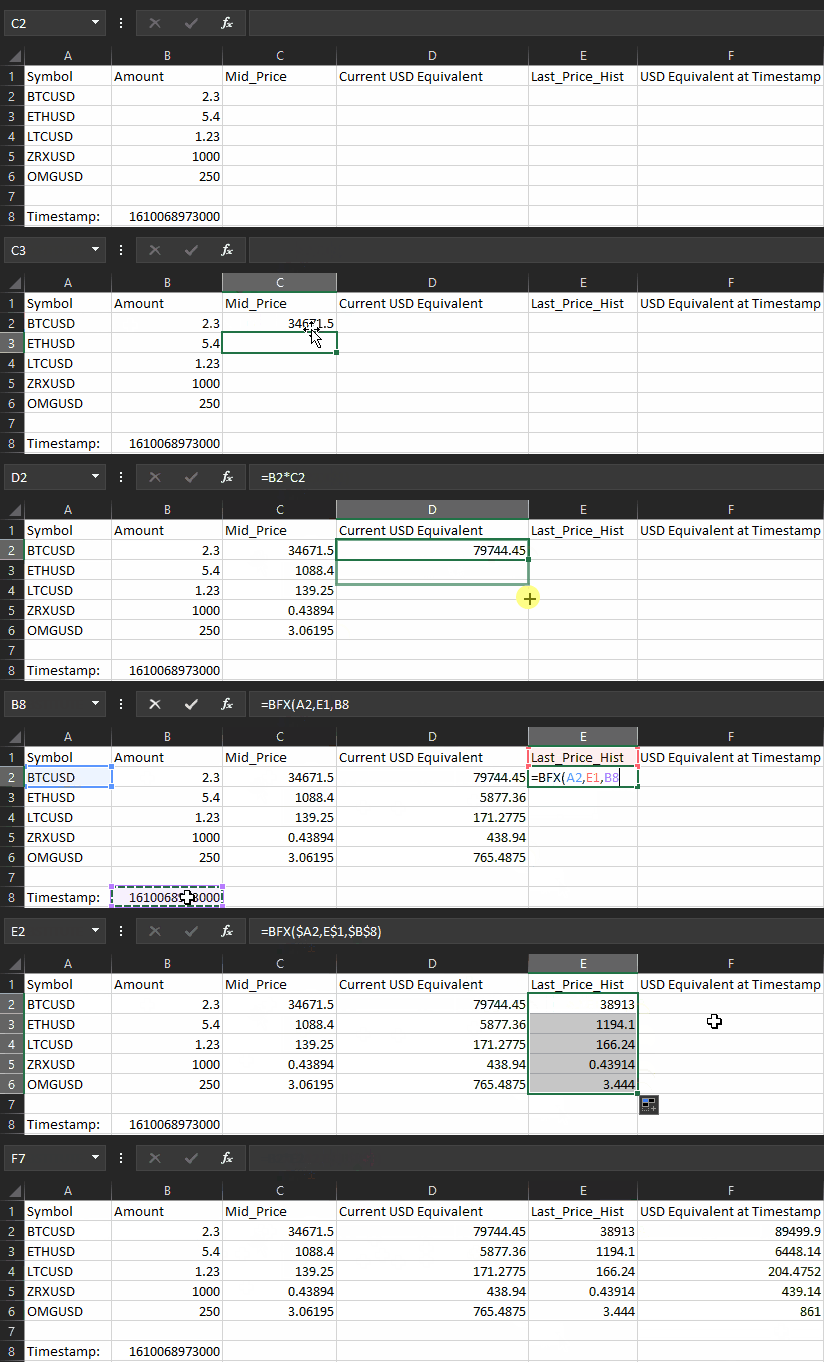
Finding out how much your crypto portfolio is worth in value can take a while; however, with REST API, you can get this information instantly. You’d need to build each query and then look for the right field in the returned data to get the information you want. This data can then be used in websites, mobile apps or just a spreadsheet for your personal use.
BFX Function simplifies the process by making a table on Excel and quickly parsing your queries for each currency you have.
- Keep track of market indicators
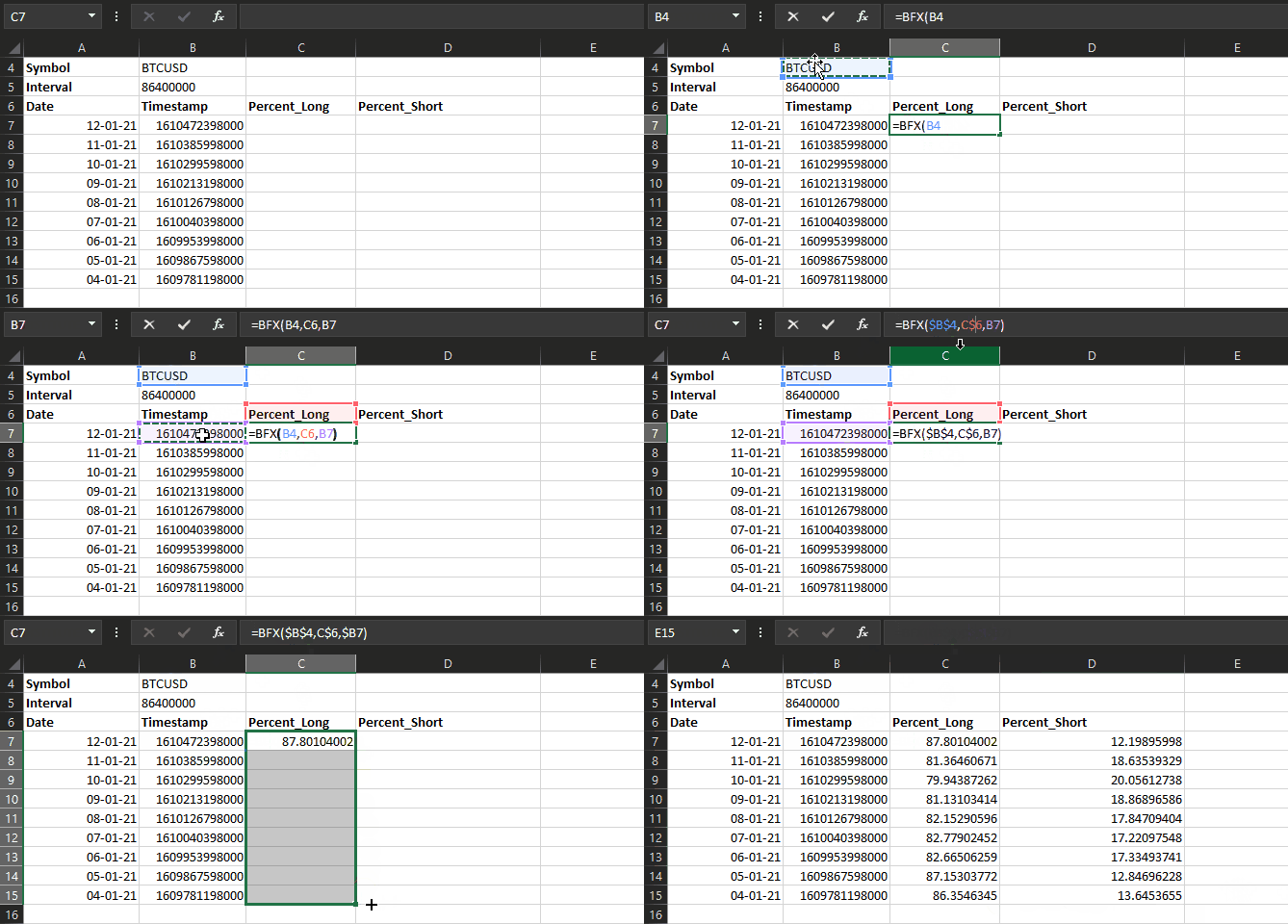
Staying on top of the market takes a lot of work. BFX function includes options to automatically calculate market sentiment indicators such as the ratio between longs and shorts. It’s easy to build a table to track these over time.
- Expand the custom function with your own calculation
You can expand BFX Function with your own custom fields to accommodate any calculations you regularly perform with our API’s data with ease.
Find out how to do it on the Showcase page of our API documentation.
Visit https://github.com/bitfinexcom/bfx-api-excel-demo to download BFX Function and get started!
BFX Function is just an example of the possible usage of the Bitfinex APIs data, visit Bitfinex API Showcase for more. Lastly, we’d love to hear from you!
Please leave your feedback on BFX Function by filling this form.
The post appeared first on Bitfinex blog.