Synchronize and autosync
The synchronize button at the bottom of your Dashboard allows you to sync your funds manually with the exchange. If there are coins on the exchange that are not shown as open positions in your Hopper, you can synchronize them into your Hopper with this tool. The synchronized coins could be used for new orders after selling them for your quote currency.
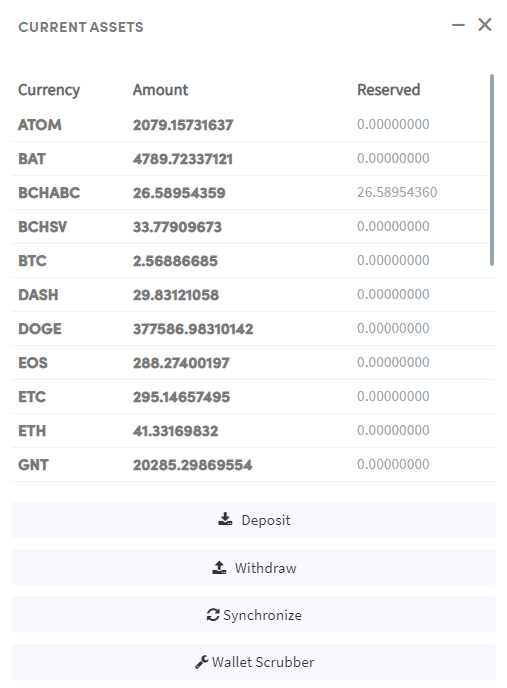
There are two different ways to synchronize. You could either synchronize at the current rate of the coin shown or you can fill in a custom buy-rate (the accurate buy rate can be found under the exchange their trade-history). The advantage of using the same buy rate as shown in the trade history on the exchange is that you will know the exact percentage profit you have made when you sell the position.
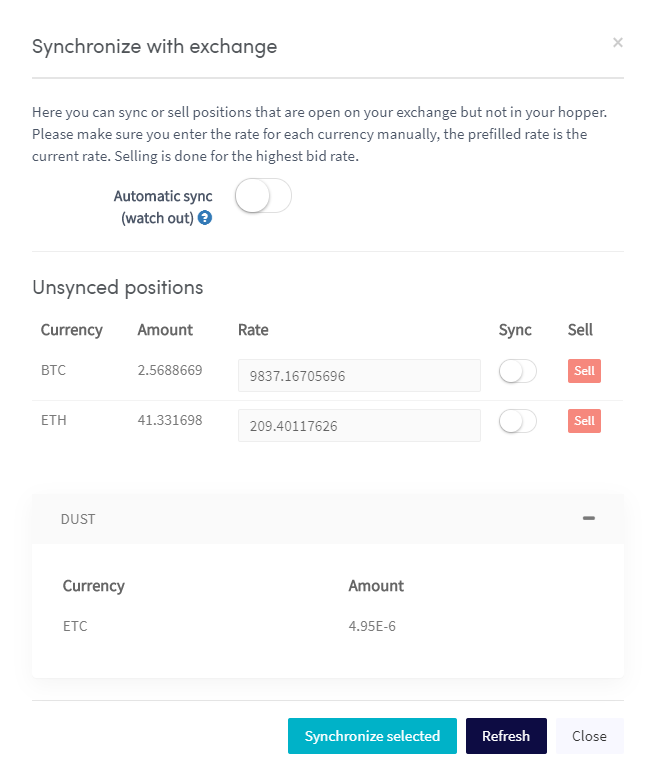
Auto-sync
Using auto-sync has three advantages. When you just start trading on Cryptohopper, all your positions on the exchange will be automatically shown in your Hopper’s Dashboard. Another benefit of using auto-sync is that you are still able to buy at the exchange and automatically see the positions in the Hopper once the orders have been filled. The last advantage of auto-sync is when positions have been partially filled, the amounts shown in the Hopper will automatically be adjusted.
There are two things to keep in mind. When you sell coins manually on the exchange, the positions and orders will remain open on Cryptohopper. To remove the non-existing orders or positions, click on “Info”, “Actions”, and then on ‘’Remove”. Cancelling won’t help in this case as the orders has already been cancelled. Additionally, when using two hopper subscriptions on the same exchange account, the opened position will be shown in both hopper templates. Disable auto-sync in both Hopper templates to prevent this from happening.
What if I have positions that I can’t sync?
Synchronizing positions is useful when you are missing coins that you see on your exchange, but not on the Hopper. Some positions will be automatically removed from your Dashboard when the amounts are too low, these positions are also called “dust positions”. The minimum trade amounts differ per exchange, however, we always recommend minimum trade amounts with the value of 11$, 0.0011 BTC, and higher. If your positions are automatically being removed, it is recommended to use the Wallet scrubber. Read more about the wallet scrubber here!